Computer Forensics Investigations
What is Computer Forensics?
Computer Forensics is an in-depth analysis of the information and activities which took place on a computer or other digital device. A sort of digital archeology if you will. It begins with a consultation and the identification of any digital or electronically stored information (ESI) that may exist. This could be on computer hard drives, cell phones, digital cameras, fax or copy machines, or other equipment that stores information electronically.
Once the items of interest have been identified, a specialized copy known as a “Forensic Image” is made of the computer’s hard drive. This is far more comprehensive than a regular file copy and enables us to use special software to see information hidden to the normal user. Searches can be done for keywords or phrases in documents or artifacts of particular activities.
What can we find out?
We can answer questions such as what files were deleted and when? Did someone make copies of sensitive documents on a particular date and time? What is the history of their Internet activities? Are these documents genuine or forgery? Are there secret communications going on via non-company email addresses and what documents are being sent out? Who was using the computer at a specific time? Did our network get penetrated by hackers and what information have we lost? Intelligence gathered may be used to support other investigative activities or to find the digital "smoking gun".
Throughout the process, you will be kept informed of the progress and results at each step of the way. This review and feedback loop of communications helps to refine and sharpen the focus of the investigation. Finally, detailed reports are created and the final results are presented to the client. We also provide expert witness testimony in court as needed.
How to get the best results.
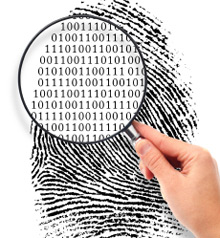
Don’t do an amateur investigation. Your IT people are not the same as forensics experts. Treat the device like a crime scene. That means, try not to put your digital fingerprints all over the thing by poking around documents right after an employee was fired. Why? Because in doing so you may change the file’s “last accessed” time stamp on the system. Often times we will want to know what they viewed last, not what you viewed just after they left. There are some simple things you can do to avoid problems.
Call us early on to discuss your situation so we can provide you with guidance on how to get access to what you need and still preserve important digital evidence.
Take advantage of our FREE initial consultation.
Contact us at 310-862-4507 or forensics@ComputerForensicsManagement.com